
არკადიგოს სახელმძღვანელო
Free Online Rhythm Games: Practice Timing in Tempo Forge
Looking for free online rhythm games? Compare timing, controls and match formats, then try a short browser rhythm duel in Tempo Forge.
What to look for in free online rhythm games
Free online rhythm games vary widely. Some are built around a music library and long note charts; others use short rounds where a visible cue asks for a timed input. Before opening a game, check what the player is asked to read, how an accurate hit is scored and whether the browser session needs a download or account. A clear first round should explain those basics without making you guess which key maps to which lane.
The search phrase “free online rhythm games” can lead to solo score chasers, competitive duels and music-chart games. Those formats are not interchangeable. If you want a quick browser match with another person, look for supported player counts and matchmaking details. If you want to practise a chart repeatedly, check whether the game offers the same sequence, adjustable speed or a practice mode. A feature list is more useful than a vague promise that a game is easy.
A timing game can be different from a music library
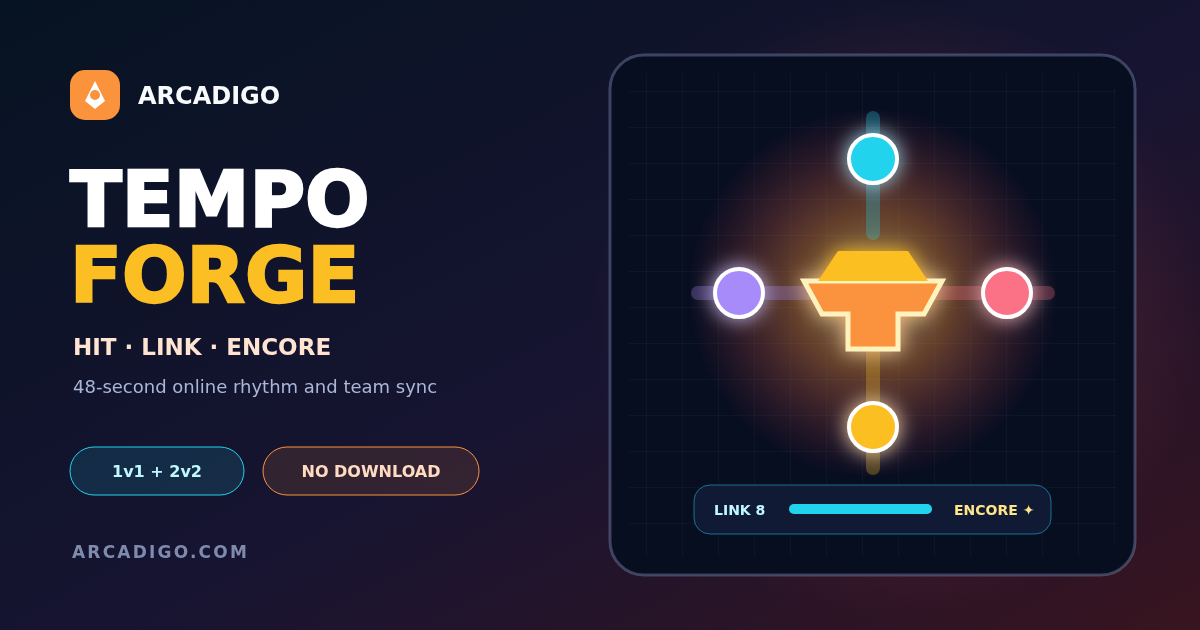
Tempo Forge is a free browser rhythm game for 1v1 and 2v2 matches. It runs a 48-second set at 120 beats per minute, using four visible lanes and server-judged Perfect, Good and Miss results. Eight accurate hits build a Link; Encore spends that Link to double the value of the next four judged cues. Those cues still need correct timing. The format is about reading and striking the on-screen prompt with a teammate or opponent, rather than browsing a long catalog of licensed songs.
That distinction helps set expectations. Someone searching for “play a song online” may prefer a chart library, while a player wanting a short competitive timing challenge may prefer a small, readable match. Tempo Forge offers 1v1 or 2v2, with keyboard controls D, F, J and K for the four lanes, plus E for Encore; touch players use four lane buttons. Its local game page lists the full rules and supported formats before matchmaking.
Choose controls that fit your setup
On a desktop keyboard, put your fingers on the listed lane keys and avoid reaching across the board after a cue appears. Keep the game tab active and use a stable keyboard layout; a remapped key can create a miss even when the timing feels right. If you play on a touch screen, use the four lane buttons and make sure the browser viewport is not covering them with an address bar or system overlay.
Do one short calibration round before judging your accuracy. Notice whether misses happen because the input is early, late or in the wrong lane. Correct one source at a time: first match the cue to a lane, then work on the timing window. Pressing every key quickly is not a reliable way to protect a score. It can turn a readable cue into an accidental input and interrupt the Link you were building.
Practise accuracy before chasing a combo
A useful rhythm game timing practice routine can be brief. Start by watching the cue pattern for a few beats, then make one deliberate input per cue. After a miss, return to the next prompt instead of trying to recover by mashing. In a team mode, coordinate who is handling each linked cue when the game calls for a shared action; communication can prevent two players from reacting to the same lane while leaving another unattended.
Use the scoring feedback as information, not as a judgment about musical ability. A Perfect, Good or Miss tells you how the server evaluated that input under its timing rules. If the game feels inconsistent, check for input lag, a background download, a crowded browser tab or an unstable connection before assuming your timing has changed. The game page explains that results are judged on the server, so a local animation may not be the final scoring authority.
Compare match formats before you queue
A 1v1 session gives you a direct personal comparison: your timing against one opponent. A 2v2 session adds shared cues and team coordination. Check whether matchmaking can add a clearly labelled bot, whether a human-only queue is available and what the tie-break rule does. Tempo Forge documents an eight-second limit for a tied set after regulation, which helps players know what happens before a match begins.
Short rounds fit a quick break, but a fast format is not automatically better for every player. If you are learning the lane layout, take a first round to recognize cues rather than focusing on the result. If you prefer longer score-building sessions, explore a game with longer charts or a practice mode. Arcadigo’s <a href="https://arcadigo.com/games">browser game catalogue</a> lists other genres and match lengths so you can choose a session that fits your time.
Free should still mean clear rules
Before joining any free online rhythm games session, check whether the game is genuinely free to play, whether a purchase changes competitive power and whether guests can start a match. A good rules page tells you how scoring works, which controls are supported and what happens when matchmaking cannot immediately find a person. This is especially useful when a game offers instant matchmaking alongside a human-only option.
Tempo Forge’s game page describes free guest play, the 1v1 and 2v2 formats, the 48-second regulation timer and its labelled AI fallback. Read the page before joining if those details matter to your session. This article describes the published rules and is not a claim that every browser rhythm game uses the same timing window or matchmaking system.
A simple first-session checklist
- Confirm the game is playable in your browser without an unwanted installer.
- Learn the lane-to-key or lane-to-touch mapping before the first cue.
- Watch the feedback for early, late and wrong-lane inputs.
- Choose solo, team or human-only matchmaking based on the experience you want.
- Use a short practice round to build accurate inputs before pursuing a higher combo.
For step-by-step controls and the in-game Link and Encore actions, continue to the <a href="https://arcadigo.com/blog/tempo-forge-beginner-guide">Tempo Forge beginner guide</a>. The discovery guide here focuses on choosing a browser rhythm format and setting up a practice session; the game guide covers the specific actions once you decide to play.
Pick a format you will enjoy repeating
The strongest browser session is one whose cues and scoring you can understand. Search results for free online rhythm games include very different formats, so compare the feedback, controls, round length and player options before settling on one. Tempo Forge is a compact timing duel with a clear four-lane layout, while other games may emphasize songs, solo charts or longer sessions. Start with a format that matches how you want to play, then use each round to improve one measurable part of your timing.