
Arcadigo guide
Free online racing games: learn the ghost lap in Afterlap
Try a short browser racer without an install. Learn how Afterlap’s three-lap circuit and previous-lap ghosts can help you read each corner.
A short browser race with a useful replay
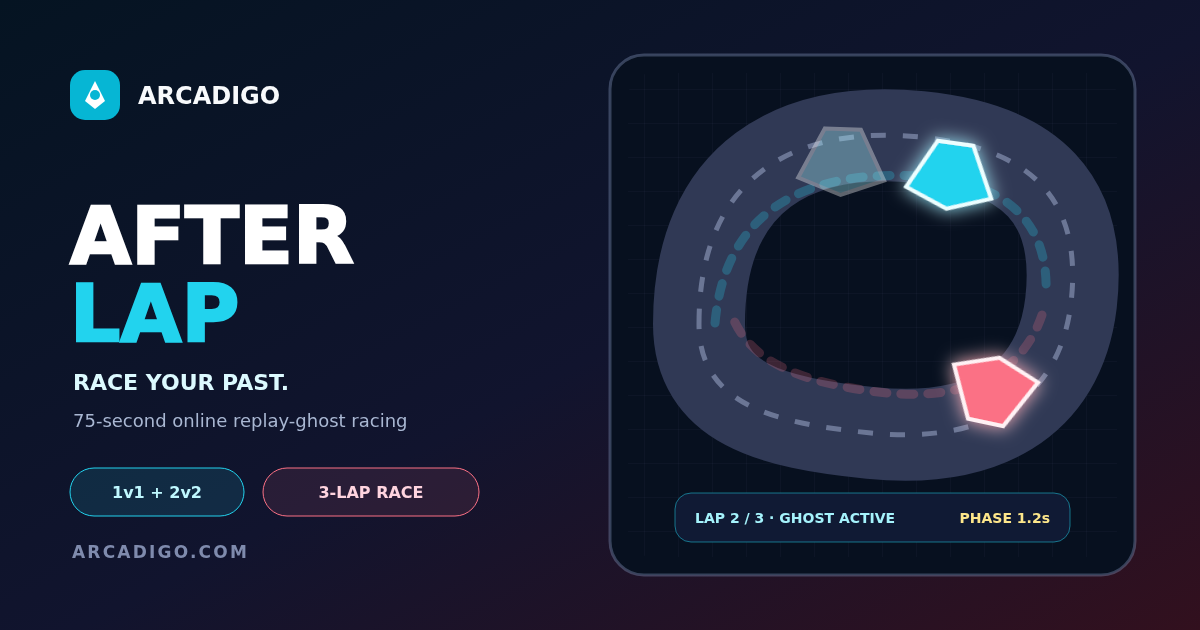
When you look for free online racing games, a quick start and a clear reason to try another lap can matter as much as a long list of cars. Afterlap is an Arcadigo browser racer built around a top-down three-lap circuit. Two neon racers weave around the course while server-recorded ghosts from earlier laps show another line on the track. You can use that visible comparison to spot where a corner costs time. The ghost is a reference for your run, not a promise that copying its exact path will produce a faster result.
What the lap ghost shows
A lap ghost represents a previous run moving through the circuit. Seeing it alongside your racer gives you a visual cue for position and timing: where the other line turns, how it exits a bend and whether your car is gaining or falling behind. Because the course is viewed from above, you can scan the next corner before reaching it. The useful question is not simply “Am I ahead?” but “Where did the gap change?” That turns a race against a stored lap into a small practice exercise instead of a blur of steering inputs.
Read the circuit before chasing speed
On your first lap, focus on the track shape. Notice the tight corners, longer bends and the sections that let you line up for the next turn. A route that looks shorter on the screen may force a late correction on exit. Try to keep a smooth path through each bend and avoid steering sharply twice when one controlled turn would do. This is general racing-game practice: the best line depends on the circuit and the way the game responds, so treat your first run as a way to learn rather than a time trial you have to win.
Use three laps to test one change
A three-lap format gives you a simple way to compare a decision. On lap one, learn where the circuit bends. On lap two, choose one corner and adjust your approach. On lap three, see whether the adjustment helps you stay closer to the ghost through the exit. Changing one thing at a time makes the result easier to read than steering differently at every turn. If you lose ground, check whether the problem started at corner entry, at the apex or when you tried to straighten the car again.
Keep your eyes ahead of the racer
In a top-down view it is tempting to watch your car continuously, especially when it passes the ghost. Look a little further along the track instead. If you know a sharp bend is coming, begin planning before you reach it. A quick glance at the ghost can help show whether it takes a tighter or wider path, but your own car still needs room to exit cleanly. On a smaller phone screen, reduce extra browser clutter and hold the device in the orientation that makes the track easiest to see.
Separate a clean lap from a risky shortcut
Racing games often reward a fast line, but cutting across the inside of every turn is not always the quickest choice. A sharp entry can send you wide on the next straight or make it harder to follow the course. Try to keep enough track ahead to make your next steering decision calmly. If you want to experiment with a tighter line, do it at one corner and compare the ghost afterward. Do not assume a visual overlap means a collision or a pass has registered; watch the race state and finish the lap before deciding what worked.
Choose a browser game for the kind of break you have
Free online racing games can be a one-lap challenge, a multi-lap circuit, a stunt track or a head-to-head race. If you have a minute, a compact course can feel more approachable than a driving game with a long setup sequence. If you want to improve over repeated attempts, look for a time or replay feature that makes progress visible. Before launching a browser game on a phone or laptop, check that it has finished loading and that the controls respond. A stable connection matters more for a live multiplayer race than for a short practice run.
Use the ghost as feedback, not as pressure
The earlier lap can show a line that is worth studying, but you do not have to match it on every turn. Maybe it took a corner well and lost time elsewhere. Compare your position at the same points on the track, then pick one area to improve. If you are already moving ahead, concentrate on finishing consistently rather than taking an unnecessary risk. A small repeatable improvement is easier to carry into another attempt than a single lucky pass that you cannot explain.
Check the controls before the first bend
Give yourself a moment at the start to see how the racer responds to steering. A keyboard, touch screen and trackpad can feel different, and a fast correction may send the car further than intended. Use a gentle first turn to learn the response, then adjust on the next lap. If the game is still loading or input feels delayed, wait until the display is stable before comparing your run with the ghost. A clear starting point makes it easier to tell whether a slower corner came from your line or from an input that did not register as expected.
Try Afterlap in your browser
Open Afterlap from the Arcadigo game page and start by learning the three-lap route. Watch where the ghost gains space, test one corner on the next lap and keep the racing line readable. You do not need a long tutorial before the first run; the track itself gives you a place to begin. Browse other titles in the Arcadigo games library, or read more short guides on the Arcadigo blog in Canadian English.