
Arcadigo guide
Free browser racing games: how to get started in Afterlap
Start Afterlap in your browser, learn its three-lap route, use Phase carefully and understand how replay ghosts affect each race.
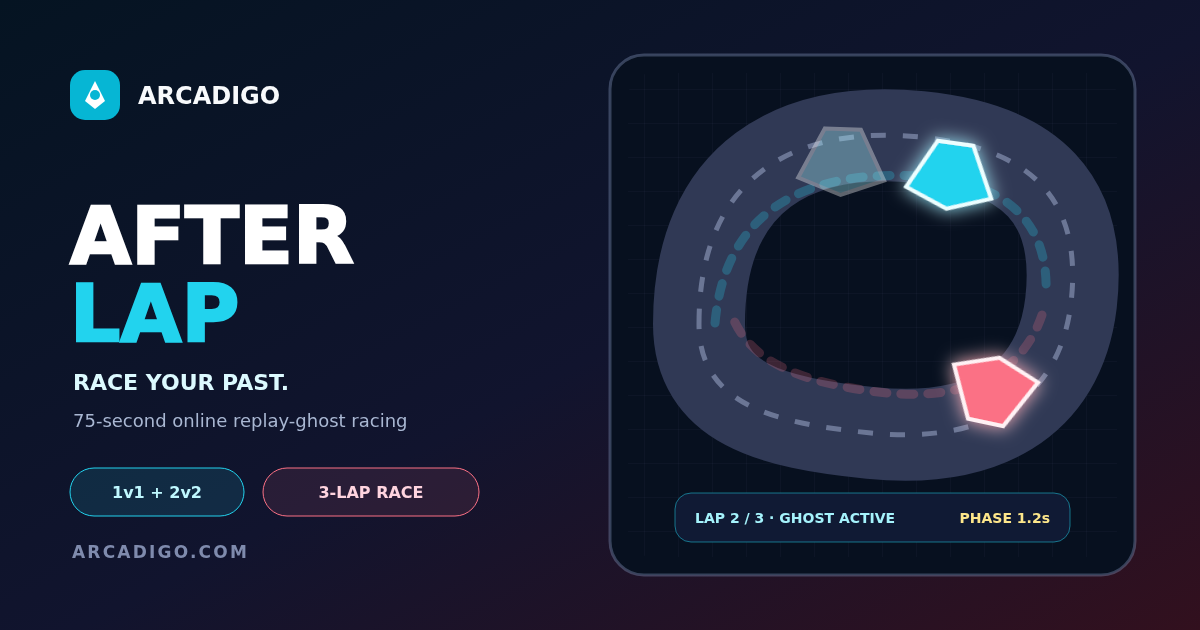
<p><strong>Free browser racing games</strong> make it easy to start a short session without installing a large title first. Afterlap is a top-down racer built around three laps and a distinctive replay mechanic: each completed route returns as a moving ghost in the next lap. You are not only chasing a time; you are also learning from the path you have already driven. The game runs in a browser, but check the game page for supported controls and device details before you begin, particularly if you are playing on a phone or tablet.</p> <h2>Learn the three-lap structure</h2> <p>Afterlap gives you a compact circuit to complete over three laps. The first route is your opportunity to learn where the corners tighten, where you can accelerate and which parts of the track punish a wide turn. When a lap is completed, your previous route returns as a moving replay ghost. That ghost is server-authoritative: it represents the recorded route from the earlier lap rather than a live opponent that can change its line in response to you.</p> <p>Use the first lap to build a clean baseline instead of trying to set a perfect time immediately. Watch the track edges and notice whether you are losing speed before or after each turn. A smooth approach lets you compare the next lap with a reference you created yourself. If you oversteer on a corner, remember the entry point and adjust one thing on the next route. Changing your line, acceleration and timing all at once makes it harder to tell which decision helped.</p> <h2>Steering and acceleration</h2> <p>On desktop, the listed keyboard controls use WASD or the arrow keys to steer and accelerate, with Space assigned to Phase. Touch controls provide a steering and throttle pad plus a Phase button. Check the Afterlap page for the current layout before the race, because the placement of touch controls can change with the screen size or orientation. Take a short warm-up lap to confirm that the car turns in the direction you expect and that the throttle responds consistently.</p> <p>Steer early enough to set up a corner, then make small corrections as you leave it. A late sharp turn can carry you toward the outer boundary and reduce your speed on the next straight. On a touch screen, keeping your thumb on the control pad may feel different from tapping a direction; test the input so you know whether it is continuous or momentary. Do not assume the same timing will work on every device, especially if the connection or frame rate changes.</p> <h2>Read the replay ghost</h2> <p>The ghost shows the route you completed previously, so use it as a visual reference rather than a physical obstacle. Compare where you are gaining or losing distance and look at the points where the lines diverge. If the ghost gets ahead on a bend, your entry or exit may need work. If you are ahead on the straight but lose time later, check whether the earlier acceleration left you poorly positioned. A replay is useful because it makes the comparison concrete, but it does not explain the cause by itself.</p> <p>Keep your route consistent when making a comparison. If your first lap used a cautious line and your second used a shortcut, the difference in time may come from more than one change. Try one adjustment at a time: brake or release the throttle earlier, turn in sooner, or hold a tighter line through a bend. Then compare the result against the ghost. Repeating the same section also helps you build a feel for how Afterlap responds without relying on a guess from memory.</p> <h2>Use Phase with a purpose</h2> <p>Phase is a limited action that can affect your race, so learn exactly what it does in the current game build before using it. Check the description and available indicator on screen. A special ability used at the wrong point can be wasted, while a well-timed activation may help you recover from a mistake or manage a difficult section. Do not press the button simply because it is available; decide what outcome you want and make sure the track position supports it.</p> <p>Plan around the circuit rather than using Phase on a long straight without a reason. If you are approaching a difficult corner, think about whether the action improves control or speed in that situation. Watch the cooldown or availability state after use, and do not assume it will be ready again before the next bend. The route ghost can help you judge where a previous lap slowed down, but the ability’s exact behaviour should be checked in the game itself.</p> <h2>Keep the race fair and the device ready</h2> <p>Browser games can start quickly, yet network quality and device performance still matter. Close unnecessary tabs if the game stutters and use a stable connection for a clean comparison between laps. If you see a delay, avoid a last-second steering correction near the edge of the track. On mobile, landscape orientation may provide a clearer view of a top-down circuit, depending on how the game page is laid out. The game’s local controls are the best place to confirm compatibility before a longer session.</p> <p>Afterlap uses the server’s record of each route to create the moving ghost, so your replay is part of the race structure rather than a decorative trail. Let each lap finish before you judge the time. If the game reports a collision or route failure, read the on-screen message and see what action triggered it. The goal is to learn the course and improve the next attempt, not to assume a browser race will behave exactly like a console driving simulator.</p> <h2>A simple first-session plan</h2> <p>Start by checking the controls and completing a steady first lap. On lap two, use the ghost to identify one corner or straight that can be improved. Change only one part of your line and save Phase for a clearly useful moment. On the third lap, see whether the adjustment produces a cleaner route. If it does not, return to the baseline and try a different change on the next run. This makes a short three-lap format useful for learning as well as racing.</p> <p>Open the <a href="https://arcadigo.com/games/afterlap">Afterlap game page</a> for the current instructions and start a run when you are ready. Free browser racing games are convenient for quick play, but each title has its own handling and rules. In Afterlap, the three-lap loop, the replay ghost and Phase timing define the challenge. Use the first route to learn, the ghost to compare and the next lap to make a measured improvement.</p>